Punchout Catalogs: The Two Use Cases Every Procurement Team Must Solve
Punchout catalogs have existed in procurement technology for more than twenty years. Yet most organizations today are stuck in one of two situations: they already run punchout through a P2P system like Coupa or SAP Ariba but cannot get the approval logic to do anything beyond basic routing, or they have no catalog buying at all and employees order through personal Amazon accounts with nobody checking what was actually purchased.
These two problems look similar from the outside, but they require completely different solutions. This guide separates them, walks through the specific challenges of each, and explains how a procurement orchestration platform addresses both.
By Mor Cohen-Tal, Co-Founder & CTO, Opstream
Previously Cloud CTO at Turbonomic (acq. IBM for nearly $2B). Holds 13 patents in cloud and AI infrastructure.
• A punchout catalog redirects buyers to an external supplier’s live storefront, then syncs the cart back into the procurement system for approval and checkout.
• Hosted catalogs and punchout catalogs solve different problems: hosted for pre-negotiated direct spend, punchout for browsing live external catalogs.
• Two distinct use cases exist: organizations with punchout already in a P2P system (needing better orchestration), and organizations with no punchout at all (needing catalog buying with governance).
• The real value is not the punchout connection itself; it is the conditional approval logic, routing, and compliance enforcement applied to every line item after the cart returns.
What Is a Punchout Catalog in Procurement?
A punchout catalog connects a procurement system to an external supplier’s e-commerce site. The name describes what happens: the buyer “punches out” of their procurement platform, lands on the supplier’s storefront, browses products, and fills a cart. That cart then transfers back into the procurement system, where the company’s approval and purchasing workflows pick up from there.
Suppliers like Amazon Business, Staples, CDW, Grainger, and Fisher Scientific all support punchout. Their product catalogs change too frequently and contain too many SKUs to replicate inside a procurement system as static data.
One detail matters above all else: the buyer never checks out on the supplier’s site. After the cart syncs back, the procurement system controls approval routing, budget validation, and the purchase order.
How Does a Punchout Catalog Work?
The punchout roundtrip follows four steps:
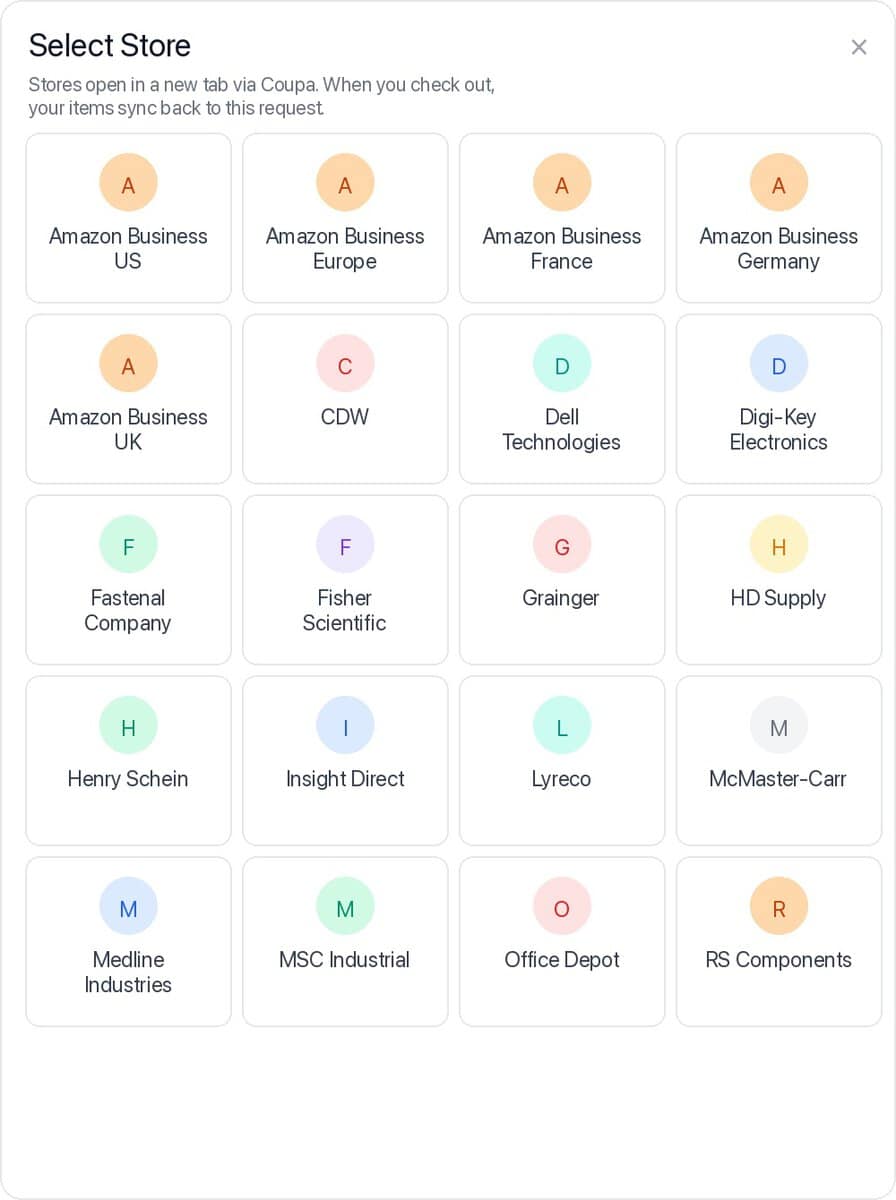
Catalog selection. The buyer opens a request in the procurement system and selects which punchout catalog (store) they want to buy from.
Redirect. The procurement system launches the supplier’s external catalog in a new browser tab. The buyer browses a live storefront with real-time pricing and availability.
Cart building. The buyer selects items and adds them to a cart, just like any e-commerce shopping experience.
Cart sync. The cart contents are transferred back into the procurement system’s item table. From this point, the organization’s standard workflows take over: approval routing, conditional logic, budget checks, and purchase order creation.
Checkout runs through the procurement system once approvals clear, not through the supplier’s store. That separation is what gives the buying organization control over what gets ordered and at what price.
What Is the Difference Between a Punchout Catalog and a Hosted Catalog?
Both are ways to let buyers select items, but they serve different procurement scenarios.
Hosted Catalog
Punchout Catalog
Item source
Pre-approved, closed list maintained inside the procurement system
Live, external supplier storefront with real-time inventory
Pricing
Negotiated, locked per catalog entry (price per unit)
Live supplier pricing at time of browse
Buyer control
Buyer selects quantity only; vendor, price, and catalog number are preset
Buyer selects items freely from the supplier’s full catalog
Best for
Direct procurement with contracted suppliers
Indirect spend: office supplies, IT equipment, MRO
Update frequency
Manual refresh from source (P2P system or self-hosted)
Always current; reflects supplier’s live catalog
In practice, the difference is stark. With a hosted catalog, a buyer searches for an item, adds it, and the only choice they make is quantity. The price, vendor, and catalog number are all preset. With punchout, the buyer selects a store, gets redirected to a live catalog, and browses items from multiple vendors through a single interface.
A modern procurement platform supports both alongside a third option: manual line items, where a buyer enters details directly. The right choice depends on the category of spend, the supplier relationship, and how much control the organization needs over item selection.
What Are cXML and OCI? The Protocols Behind Punchout Integration
Two protocols power the connection between procurement systems and external catalogs:
cXML (Commerce eXtensible Markup Language) is the more widely adopted standard. It handles the full punchout roundtrip: launching the external catalog, transferring cart data back, and mapping line items to procurement fields. Platforms like Coupa, Jaggaer, and Amazon Business use cXML as their primary punchout protocol.
OCI (Open Catalog Interface) was developed by SAP and is primarily used within SAP Ariba and SAP S/4HANA environments. OCI handles the same core flow as cXML but uses a different data format and connection method.
For teams evaluating new platforms, the protocol question comes down to existing supplier connections. If your suppliers already connect via cXML through Coupa, any new platform must either support cXML directly or plug into the P2P system’s punchout layer without forcing you to reconfigure.
What Is Level 1 vs Level 2 Punchout?
Punchout capabilities are often described in two levels:
Level 1 punchout covers the basic roundtrip: a buyer browses an external catalog and returns a cart to the procurement system. The cart is treated as a single unit for approval.
Level 2 punchout adds the ability to inspect, validate, and apply rules to individual line items from within the procurement system. This is where the real value lives for enterprise procurement teams.
With Level 2 capabilities, approval workflows can trigger different paths based on item category, cost thresholds, or vendor. A laptop above $2,000 from Amazon Business might require IT approval and asset tagging, while a $30 keyboard from the same cart sails through with a single manager sign-off.
This distinction is practical, not theoretical. Most legacy P2P systems stop at Level 1: the cart arrives as a blob and travels through one approval path. If your organization needs to apply different rules to different items inside the same punchout cart, you need Level 2 built into the orchestration layer.
The Two Use Cases: Which One Applies to Your Organization?
Organizations evaluating punchout catalog support almost always fall into one of two categories. The challenges, the deployment approach, and the business outcomes are very different between them.
Use Case 1
You Already Have Punchout Configured in a P2P System
This is the organization running Coupa, SAP Ariba, or a similar P2P platform. They have 5, 10, maybe 15 punchout catalogs already configured and working. The supplier connections are established. Buyers know how to use them.
The punchout itself is not the problem.
Challenges
Approval rules are too simple. The P2P system routes the entire cart through one approval path regardless of what is in it. A $50 supply order and a $15,000 equipment request follow the same flow.
Conditionality is weak. There is no way to add an IT approver only when the cart contains technology items, or escalate to finance only when a line item exceeds a threshold. The logic is binary: approve or reject.
Catalogs are hard to maintain. Reconfiguring punchout connections, updating supplier credentials, and managing catalog refresh cycles across multiple suppliers creates ongoing overhead.
Outcomes with Opstream
No reconfiguration required. Opstream integrates with your existing P2P punchout infrastructure. Buyers continue browsing through the catalogs they already know. The cart syncs back through Coupa or Ariba, and Opstream adds an orchestration layer on top.
Conditional approval by line item. Rules can trigger based on individual items in the cart: item category, cost, vendor, or any custom attribute. Computer equipment routes to IT; facilities items route to operations.
Full workflow continuity. Everything after the cart sync follows the same request flow as any other purchase in Opstream: follow-up questions, multi-step approvals, budget checks, and purchase order creation.
The key point: organizations that already have punchout catalogs configured in Coupa do not need to reconfigure them to work with Opstream. The buyer continues to browse through the same catalogs, the cart returns through the existing P2P system, and Opstream layers orchestration on top by syncing the cart into its own request flow.
Use Case 2
You Have No Punchout Setup and Employees Buy Unsupervised
This is the organization where catalog buying does not exist yet. There is no structured way for employees to browse approved suppliers. Buying happens through workarounds, and oversight is minimal.
Challenges
Employees buy first, ask questions later. Someone finds what they need on Amazon, buys it with a personal card, then submits an expense report or reimbursement request. There is no pre-purchase approval and no way to validate that what was purchased matches what was approved.
Company purchasing accounts lack governance. The organization might have an Amazon Business account, but purchases through it bypass any approval workflow. Employees order freely, and the invoice arrives with no context about who authorized what or why.
No visibility until after the fact. Finance only learns about purchases when the invoice lands. There is no record of what was requested versus what was delivered, no audit trail, and no way to enforce policy.
Outcomes with Opstream
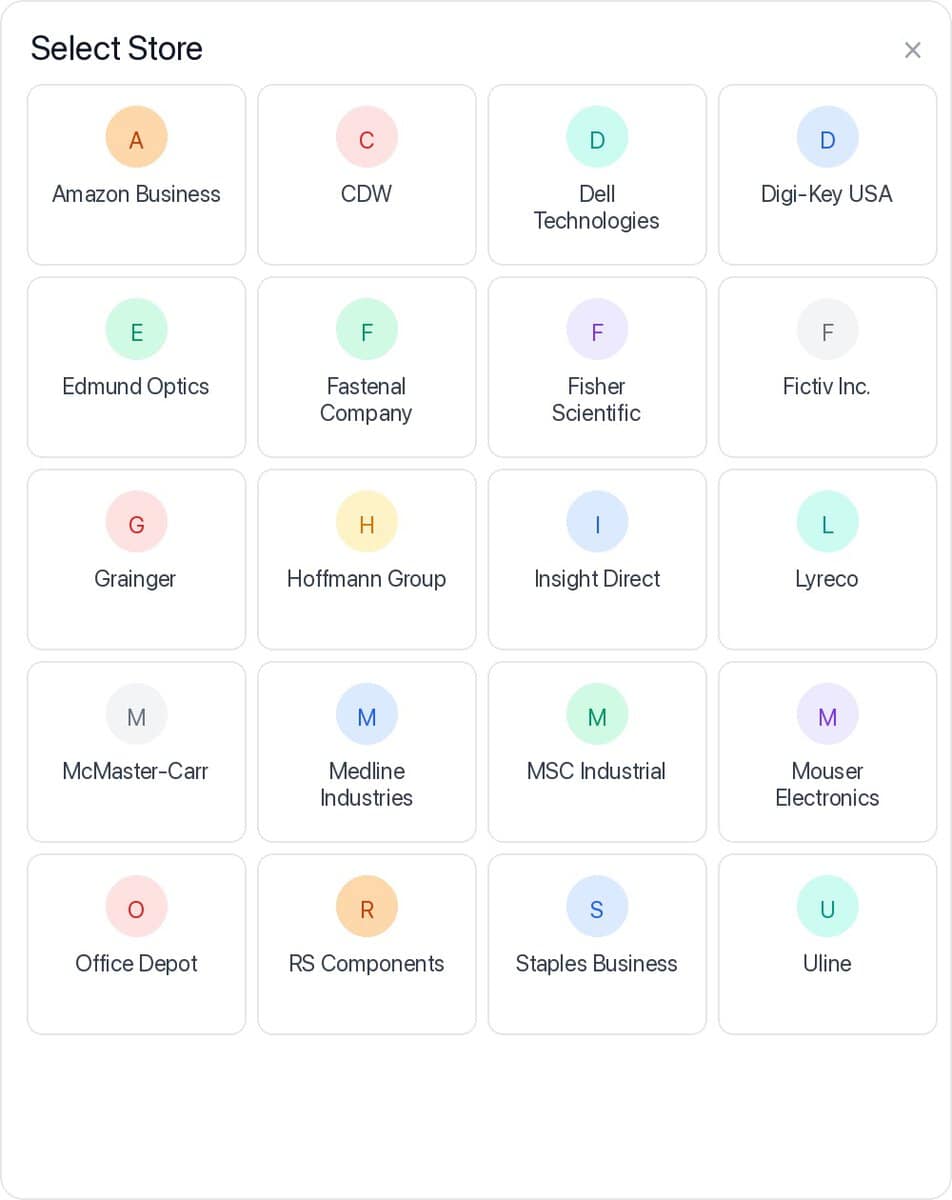
Native punchout with built-in governance. Opstream offers punchout catalog integration directly within the request flow. Buyers select a store (like Amazon Business), get redirected to browse, and the cart syncs back into Opstream’s item table before anything is purchased.
Approval before checkout. Once items are in the item table, the organization’s full approval workflow applies. The purchase order is only created after all required approvals are in place.
Checkout happens through Opstream. The buyer does not complete the purchase on the supplier’s site. Opstream handles checkout after approval, ensuring what was approved is exactly what gets ordered.
The gap becomes clear when you trace the typical workflow: either someone buys the item on a personal card and submits a reimbursement, or they search Amazon, paste a link into a request, get it approved, then go back and buy it separately. In neither case does anyone confirm that what was actually purchased matches what was approved, until the invoice shows up weeks later.
How Does Opstream Handle Both Punchout Use Cases?
Architecturally, Opstream treats punchout as one of three item sources inside a single request flow. It is not a standalone module bolted on after the fact.
When a buyer creates a request in Opstream, they can add items to the item table from three sources:
Manual entry: selecting from a dropdown of items connected to a data source and populating the details.
Hosted catalog: browsing a pre-approved, closed list with negotiated pricing. The buyer selects quantity; everything else is preset.
Punchout catalog: redirecting to an external supplier’s live storefront, building a cart, and syncing it back to the item table.
No matter which source the items come from, the conditional logic is identical. The same approval steps trigger. The same follow-up questions appear. The same budget and compliance checks run.
The practical result: there is no need for separate processes for catalog purchases versus non-catalog purchases. One orchestration layer handles everything, with rules that shift based on what is in the cart.
3
Item sources in one flow
L2
Line-item level approvals
0
Punchout reconfiguration needed
Frequently Asked Questions About Punchout Catalogs
What is a punchout catalog in procurement?
A punchout catalog is a connection between a procurement system and an external supplier’s e-commerce site. The buyer “punches out” to the supplier’s storefront, browses and selects items, and syncs the cart back to the procurement system for approval and checkout.
How does a punchout catalog work?
The buyer selects a punchout catalog from within their procurement system. They are redirected to the supplier’s live storefront in a new tab, where they browse and add items to a cart. The cart is then transferred back into the procurement system’s item table. From there, standard approval workflows, budget checks, and compliance rules apply before the purchase order is created.
What is the difference between Level 1 and Level 2 punchout?
Level 1 punchout handles the basic roundtrip: browse an external catalog and return a cart. Level 2 adds the ability to inspect and apply rules to individual line items after the cart returns. This means different items in the same cart can route through different approval paths based on category, cost, or vendor.
Can punchout catalogs work with existing approval workflows?
Yes. In a procurement orchestration platform like Opstream, punchout cart items flow through the same request and approval process as any other purchase. Conditional rules can apply to individual line items, not just the cart as a whole.
What are cXML and OCI?
cXML and OCI are the two main protocols for punchout catalog connections. cXML is the more widely adopted standard, used by Coupa, Jaggaer, and Amazon Business. OCI was developed by SAP and is primarily used in SAP Ariba environments. Both handle the same core flow of launching an external catalog and syncing cart data back.
Can I keep my existing Coupa or Ariba punchout catalogs?
Yes. If you already have punchout catalogs configured in a P2P system, Opstream can integrate with that existing setup. Buyers continue to use the same catalogs. Opstream adds conditional approval logic and orchestration on top, without requiring you to reconfigure the punchout connections themselves.
What is the difference between a punchout catalog and a hosted catalog?
A hosted catalog is a pre-approved, closed list of items with preset pricing and vendor assignments. The buyer can only select quantity. A punchout catalog redirects the buyer to a live supplier storefront with full browsing capability. Hosted catalogs suit contracted direct spend; punchout catalogs suit indirect categories like office supplies and IT equipment.
See How Opstream Handles Punchout and Catalog Management
Whether you need to layer orchestration on top of existing punchout catalogs or build catalog buying from scratch, we can show you how it works.
Mor Cohen-Tal is a visionary technology leader and the Co-Founder and Chief Technology Officer of Opstream, an intelligent procurement orchestration platform that is transforming the way companies buy. With a career marked by a relentless pursuit of innovation, Mor has earned 13 patents for her groundbreaking work. Notably, Mor was the Cloud CTO at Turbonomic, where she spearheaded the company’s successful transition from a datacenter-focused business to a cloud-centric model. Turbonomic was acquired by IBM for nearly $2B in 2021. Mor holds an M.Eng from Cornell University and a B.Sc from the Hebrew University.